Calculator for exposure time during radiographic testing
Understanding exposure time in radiographic testing
What is the exposure time for radiographic testing?
Exposure time in radiographic testing refers to the duration during which the radiation source is active and directed towards the material being tested. It is a critical parameter that influences the quality of the resulting radiograph. Adequate exposure time ensures that enough radiation penetrates the material to produce a clear and interpretable image. If the exposure time is too short, the image may be underexposed, obscuring vital details. Conversely, excessive exposure can lead to overexposure, resulting in an unusable radiograph.
Determining the appropriate exposure time is a balancing act that involves understanding the specific characteristics of the material being tested, the type of radiation used, and the sensitivity of the film or digital detector involved. An effective radiographic test relies heavily on this measurement, making it imperative for technicians to have a comprehensive grasp of the factors at play.
Factors influencing exposure time
Several factors influence the exposure time during radiographic testing. These include the type and thickness of the material being examined, the intensity of the radiation source, the energy of the radiation and the sensitivity of the film used. Understanding these variables is crucial for achieving accurate and reliable results in radiographic inspections.
Calculating the exposure time
Formula
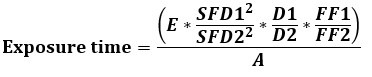
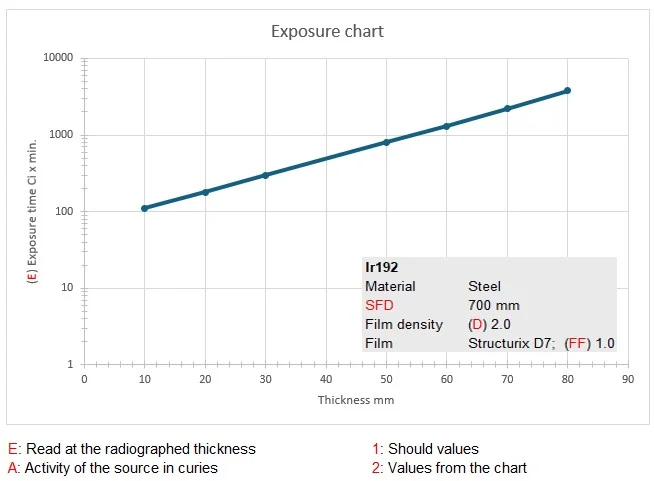
The testing conditions are converted using the following formula. All variables affecting the exposure time are integrated within the exposure diagram and must be converted to the current testing conditions. The values marked with the number 2 are derived from the diagram, while all other values pertain to the conditions observed during the current examination. For an X-ray tube, the Ci must be replaced by mA.
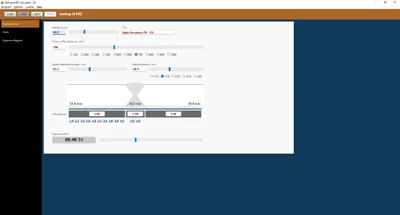
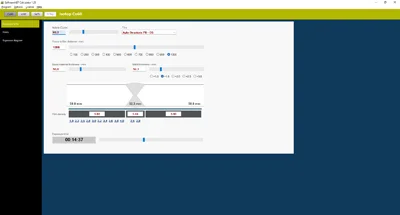
The SoftwareNDT Calculator has successfully integrated exposure charts for Selen-75, Iridium-192, and Cobalt-60. This software streamlines the testing process by providing quick, accurate calculations based on user input, thereby reducing the potential for human error and ensuring consistent results.
This isotope is widely used for its gamma radiation, which is suitable for various applications, including industrial radiography. Its relatively low energy levels make it less penetrating than other isotopes. Software area for Selenium 75: Thickness: 2 to 42 mm
Iridium-192 (Ir192)
Known for its high energy output, Iridium-192 is ideal for thicker materials and is commonly used in the oil and gas industries. Its effectiveness necessitates careful attention to exposure time to avoid overexposure. Software area for Iridium-192: Thickness: 2 to 150 mm
Cobalt-60 (Co60)
This isotope provides a strong gamma source and is used in a range of applications. It is vital to consider its longer half-life when determining exposure times for effective imaging. Software area for Cobalt-60: Thickness: 15 to 200 mm
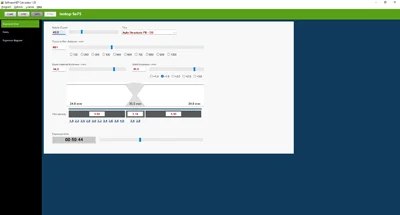
This guide provides a concise overview for calculating exposure time using the software
1: Enter the activity and film type.
2: Enter the source-to-film distance.
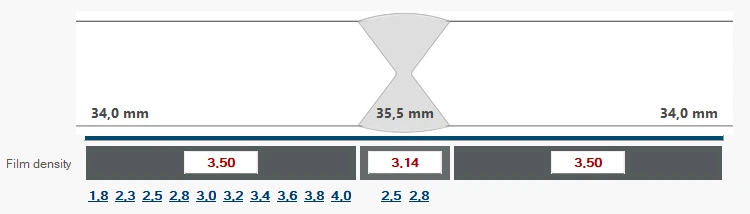
3: Enter the thickness of the base materials and the weld seams.
4: Select the film density in the base material or in the weld seam, or enter the target film density.